Best Apps for Building Better Habits
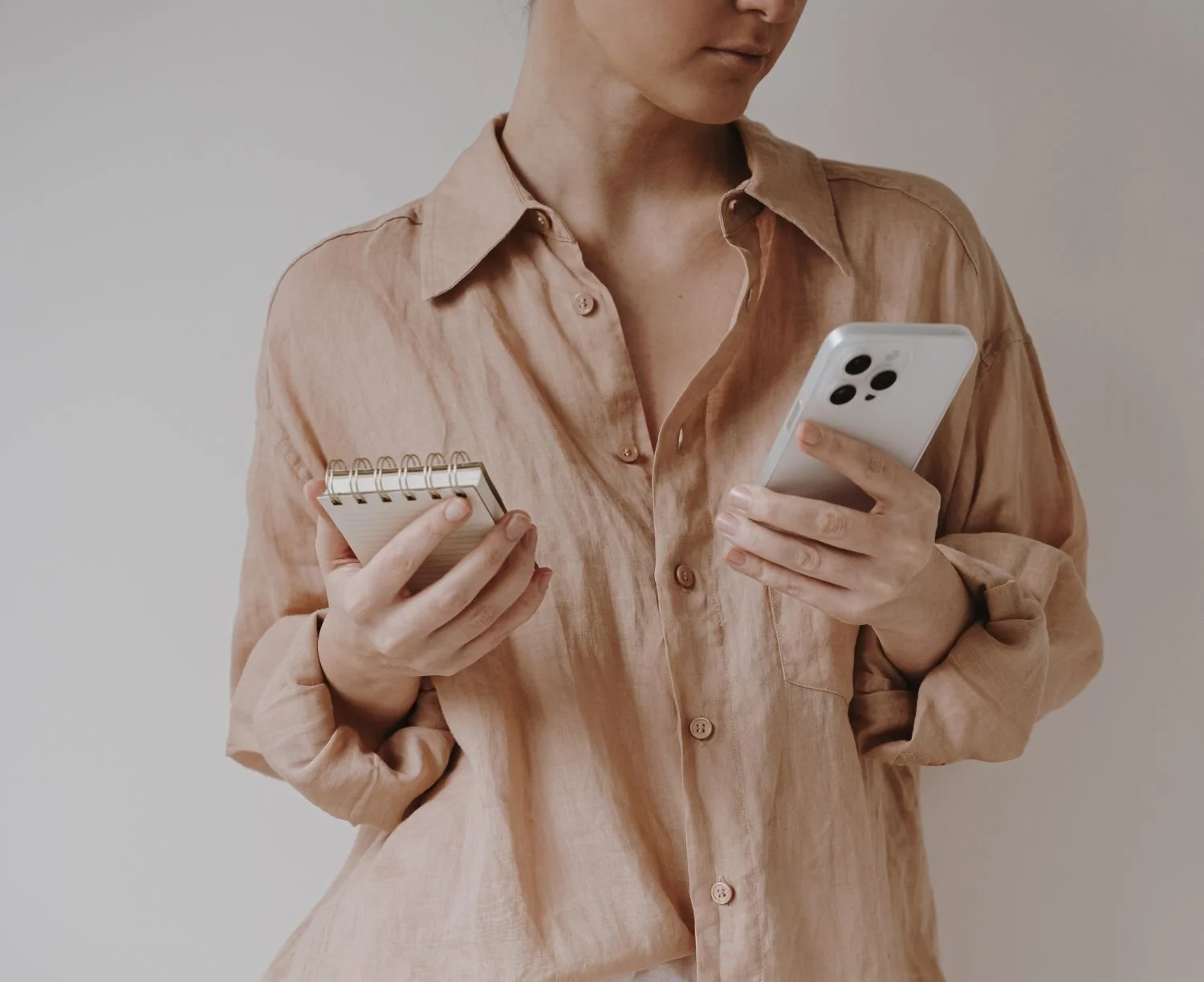
We often assume that we just need more motivation or more preparation, when in reality we just need better systems to track and manage our progress.
The routines we repeat every day shape the direction of our lives, so it’s really important to be mindful of how we spend our days and what we prioritize. Are they aligned with your values and vision for yourself?
Whether you’re trying to exercise consistently, read more books, manage your time or simply create a little more calm in your day, the right tools can remove the friction and make those habits easier to maintain.
While I love digital tools, I still rely on a paper planner, notebooks and handwritten journaling.
Digital apps help me manage my schedule and routines, while paper helps me slow down, reflect and think creatively. For me, they complement each other rather than compete.
Today I want to share some of the apps I’ve personally used to help me organize my time, establish rituals and stay intentional with my goals. I use these apps because they help me consistently show up for the life I’m trying to build.
And I use these apps because of the way they’re designed—they’re intentionally helping me track what’s important, present my habits or lists in views that matter to me, and show other details that help me with the daily rhythm of how my routines fit into my day.
These apps are free or may also offer premium features.
Morning Routine:
ThinkUp
The way we speak to ourselves shapes the way we approach challenges, setbacks and opportunities. I've learned that the way I speak to myself often determines how I approach the rest of my day. Here’s why I chose the app ThinkUp.
It helps me recenter my thoughts and start the day on a positive note. Your environment influences your behavior, and the ThinkUp app helps make your mind and inner voice more supportive, inspiring and powerful—this is because the affirmations can be read and recorded in your voice.
Favorite feature: I like to use it to listen to affirmations, but what makes this app so helpful is that you can personally record the messages that you will listen to. I like to record these affirmations and listen to them in the morning.
Best for: people who may want to incorporate their own personal affirmations and record them in their own voice. It may help shift your mindset to hear affirmations you repeat to yourself.
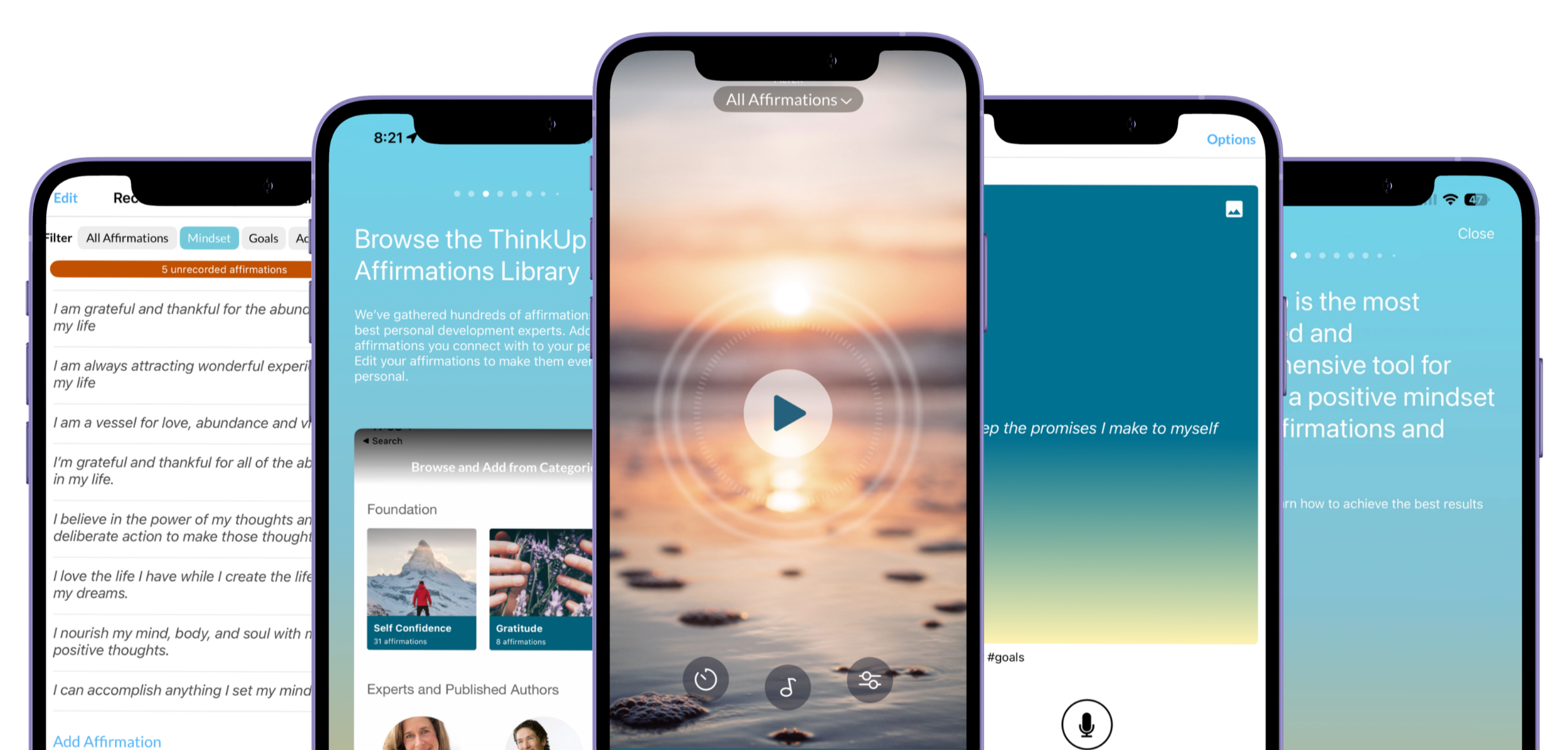
The ThinkUp app allows you to personally record the messages you will listen to, making it a really helpful affirmation app.
Tiimo
The Tiimo app is one of my favorite apps because of the lists, timers and planning that's available. You can create a ritual you want to follow, with a time frame and a checklist of tasks to do during that time. It’s an app that lets you stack habits together in an intuitive way. It combines checklists, timers, timeboxing and music all into one place.
For example, I've created a planning block for my skincare routine and I list the order of skincare ingredients to apply during this time block. It has a checklist that I can cross off during the focused block. It's just so helpful, both functionally and visually. Tiimo prides itself on being built by and for neurodivergent people. Their tools are so functional and intuitive. The features within the app feel incredibly thoughtful and intuitive.
You’ll love Tiimo if you have a set list of rituals you like to complete in a day or if you like to timebox your rituals. One of the ways I’ve set up a ritual here is my morning and evening skincare routine.
Favorite feature: I have a list and an order I prefer to follow for my AM/PM skincare routine. So within the Tiimo app, I’m able to create separate skincare routines that account for the specific order I prefer to apply my products and layer ingredients. You could do the same on Tiimo for errands, workouts, cleaning, writing or other rituals that you have standardized and refined to your liking.
Best for: Organizing your routines. This app also has timers that help you stay on track with managing your time or completing your ritual or tasks within that timeframe.
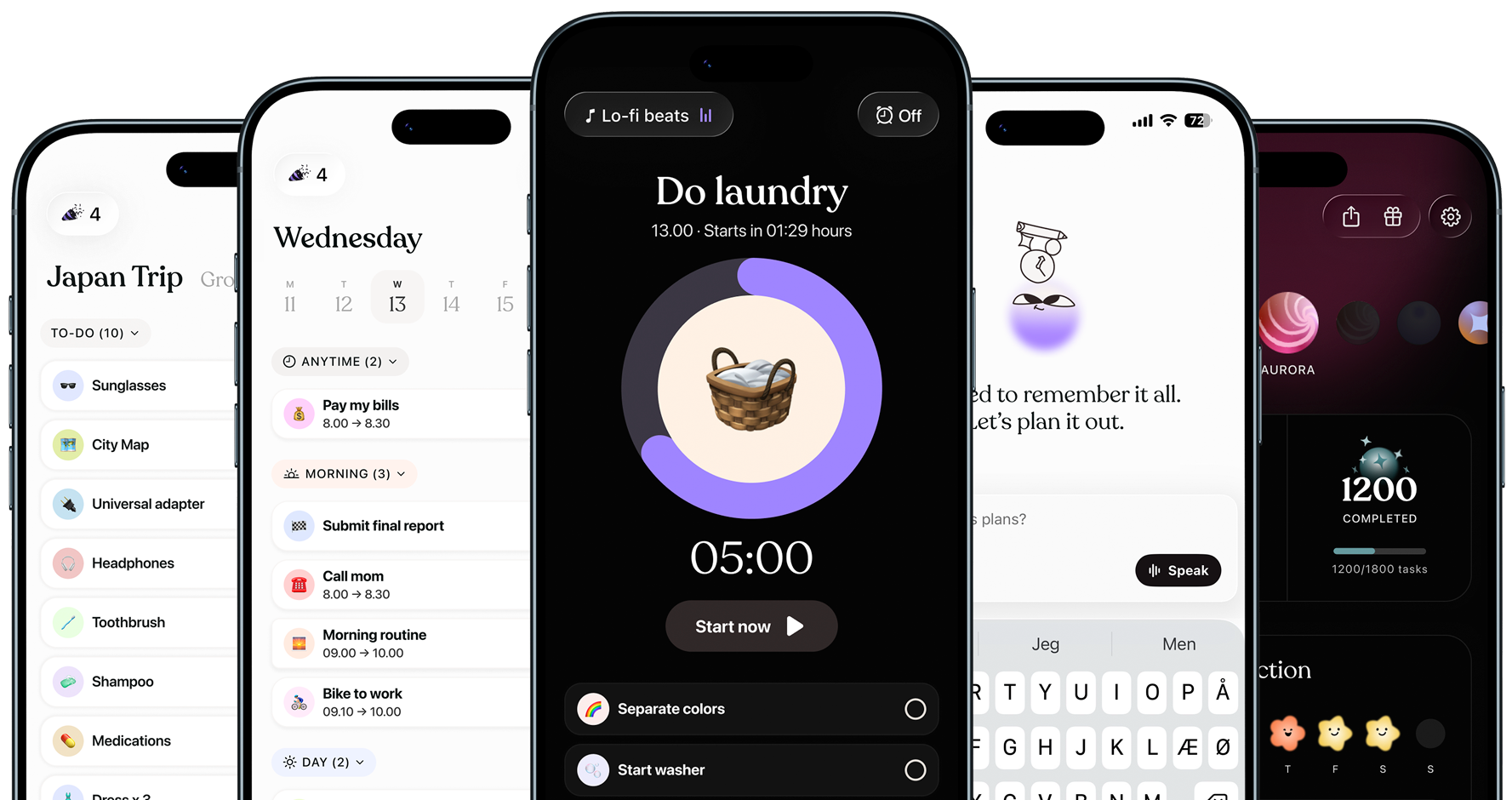
The Tiimo app integrates visual planning, color-coded tasks, timers and other features to help you build rituals and complete tasks that are important to you. Image courtesy from Tiimo app.
Related: How to Create a Personal Action Plan

Designing Your Day
When it comes to a calendar tool, you just need one main calendar to help you manage your appointments, birthdays, social events and other important reminders. I recommend sticking to one calendar system so it can serve as your source of truth. You can always integrate that calendar with other tools, but make sure your main calendar stays up to date.
Google Calendar
I really enjoy using it as my main calendar. It integrates well with my email and I like creating different calendars for different categories of my planning. I manage it on a daily and weekly basis.
Favorite feature: I also like color-coding my calendar to see my priorities at a glance. Google Calendar also integrates into my Apple Calendar.
Best for: Anyone already using the Google suite of products and who enjoys a color-coded calendar.
Apple Calendar
The Apple Calendar is really easy to use and integrates with other calendars you might use. What I like to do is use Google Calendar and integrate it into Apple Calendar. If I need to open my Apple Calendar on my phone or laptop, I can quickly see a simple at-a-glance view of my commitments. If you need a calendar option, try using Apple Calendar.
Favorite feature: Apple Calendar integrates well with all of your other calendars. So it makes it really convenient to see everything quickly and easily.
Best for: Anyone who has an iPhone, iPad or Mac computer. Apple Calendar also lets you color code your calendar. You can also integrate your other calendars, such as Google Calendar, into Apple Calendar.
Fantastical:
This is a really helpful calendar app that integrates your calendar into it and also acts as a to-do list. Fantastical offers free and paid options.
Favorite feature: Customizations and to-do list management within a calendar
Best for: People who want their calendar to function like a calendar and a to-do list.
Structured
The Structured app integrates with my calendar sources and visually shows my calendar as a running to-do list. So everything that I put into my calendar is timeboxed and then is fed into the Structured app so that I can see everything at a glance, and I can check things off my calendar as they are completed.
Favorite feature: There are also helpful features, such as a to-do list and time management settings. What's cool about the Structured app is that I can use it on my phone or desktop and it always helps me stay on track with my calendar. What gets on my calendar gets done and the Structured app helps me check off important time blocks on my calendar.
Best for: People who like to strcture their calendar like a running to-do list and you timebox your calendar. Structured helps you keep track of what you want to do in a day, by helping you visually prioritize it within your calendar. You can also incorporate to-do lists within your calendar.
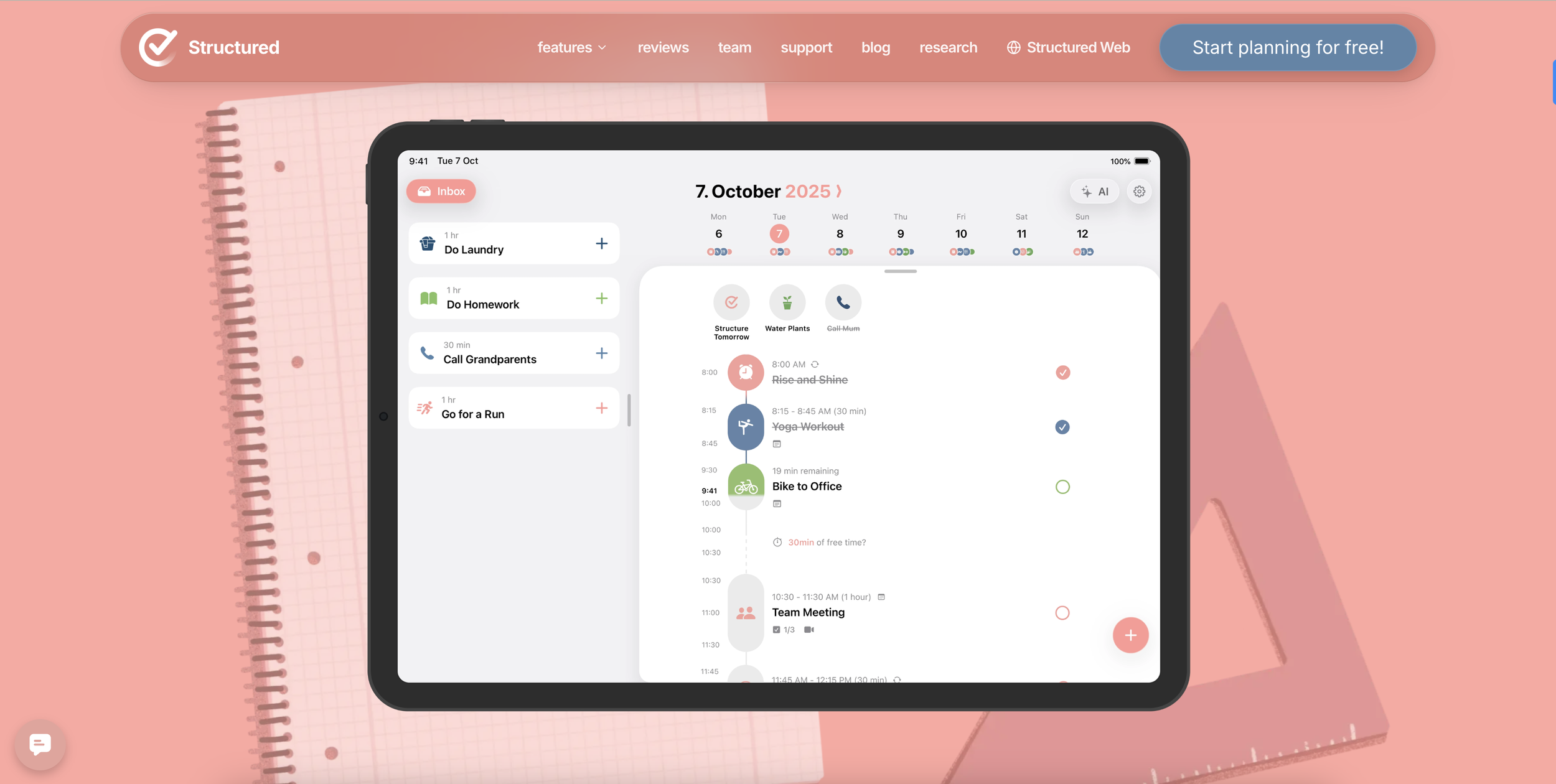
The Structured app integrates your calendar into a checklist view so you can approach your day as though you’re completing your to-do list. Putting things on your calendar makes it a priority and the Structured app helps you timebox your calendar and complete them. Image courtesy of Structured app.

Staying focused
Time is one of our most limited resources, which is why I'm intentional about where I invest it. It’s important to keep time sacred and only spend it on the most important people and activities in your life.
Toggl Track:
I use the Toggl Track app to track how much time I spend on specific projects or tasks. Within the tool, I can create projects and tags to categorize and later filter how I have spent my time over a day, week or month. Through Toggl, I'm able to see how often I'm writing or creating or working on certain projects.
If you're feeling like you don't have enough time in a day, I want to encourage you to track your activities for a week to see how you're spending your time.
It can be really insightful to help you reassess how you spend your time and prioritize your time. It’s a really insightful exercise to track your time for a week, especially if you feel like you never have enough time.
Last week I tracked writing, graphic design, reading and exercise. By Friday, I realized I had spent twice as much time designing graphics as I had spent actually writing articles, which helped me rebalance my schedule.
Favorite feature: I enjoy Toggl because my main goal is to write for at least one hour a day and I’m able to easily see day-by-day and weekly outcomes.
At the end of the month, I can see how I spent my time and how that stacked up against the outcomes and goals I was working towards. You can view how you spent your time on specific tasks or projects.
Best for: Helping you visually see how you’re allocating your time. You can customize the projects and labels to help you gain insights into how much time you’re spending on certain activities.
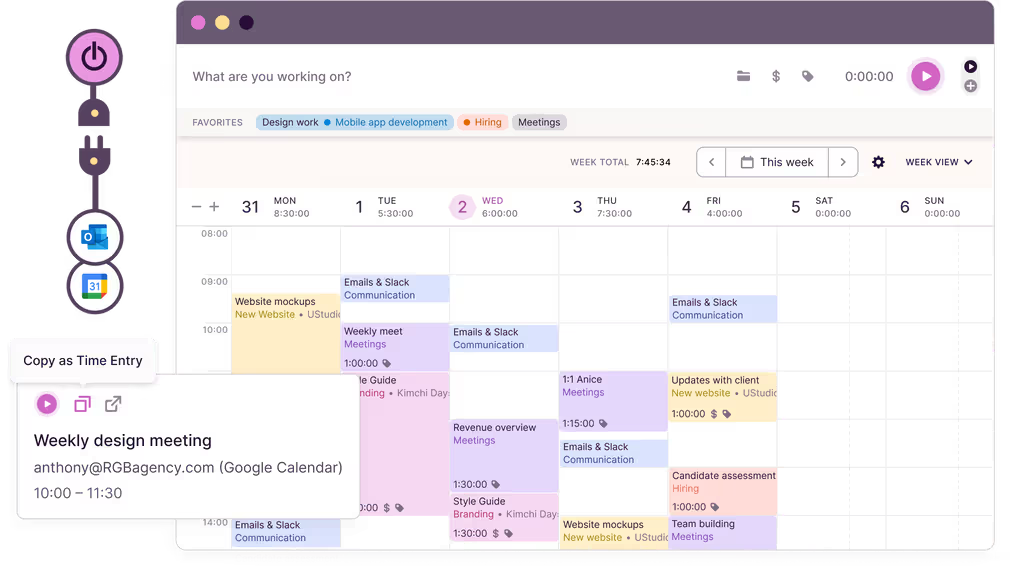
Image courtesy: Toggl Track
Learning and Inspiration
TED Talks
Be intentional about what you consume by nourishing your mind with inspiring stories and exposing yourself to new ideas.
Through TED Talks, people explore topics related to relationships, the environment, neuroscience, and everything in between.
TED Talks will expose you to new topics, books, research and other interesting things that will expand your horizon and perspective.
Try listening to these while running errands, doing house chores or exercising.
You’ll love TED Talks for a daily dose of insights and inspiration. There are topics around health, nature, psychology, technology, personal growth, science and so many other interesting subjects.
Here are some interesting TED Talk videos:
Skillshare
You can develop new skills in writing, photography, design, calligraphy and so many things in between. If you want to develop a new skill, develop a new hobby or just keep expanding your knowledge on a topic, check out the courses on Skillshare.
These are some Skillshare classes I have checked out related to writing, storytelling and journaling:
If you’re interested, you can get one month of Skillshare for free.
YouTube
I often go to YouTube to research topics, learn new things and get inspired. I also like to watch calming YouTube videos and playlists for vibes that I can listen to while writing, coloring or cleaning.
If you need some inspiration, here are some YouTube videos to check out:
A calming playlist to revive your psyche by Ophelia Wilde
Please stop hiding from life by Nathaniel Drew
Spotify
Take a moment to intentionally curate information you want to learn or grow in. As an example, I have created private playlists to learn about neuroscience, mindset, history or psychology.
Here are some Spotify podcasts to check out that I've recently saved:
How your brain works and changes on the Huberman Lab podcast
The #1 Neuroscientist: After Listening, Your Brain Will Not Be the Same on The Mel Robbins podcast
Optimal Living Daily podcast
Consistency
Many of the positive changes in my life have come from the habits I repeat consistently.
What I do each day shapes my identity and reflects my priorities, values and ambitions in life. There are so many habit-tracking apps out there, but after trying them all, I currently recommend only one.
Habit Tracker
I've tried many, many, many apps. The best one that I have found is the Habit Tracker app. You can customize it to track a goal you want to build or break.
The tracking customizations are really convenient and help you stay on track. I highly recommend this app if you're trying to track certain habits.
Consistency beats intensity and an app like Habit Tracker allows you to track habits and streaks in an intuitive way that doesn’t shame you for missing a day.
Favorite feature: After trying dozens of habit tracking apps, this is the one I kept returning to because it strikes the right balance between simplicity and personal customization. This app encourages me to come back every day.
Here are some habits I track on the Habits app:
Meditation
Visualization
Reading
Planks
Miracle Morning ritual
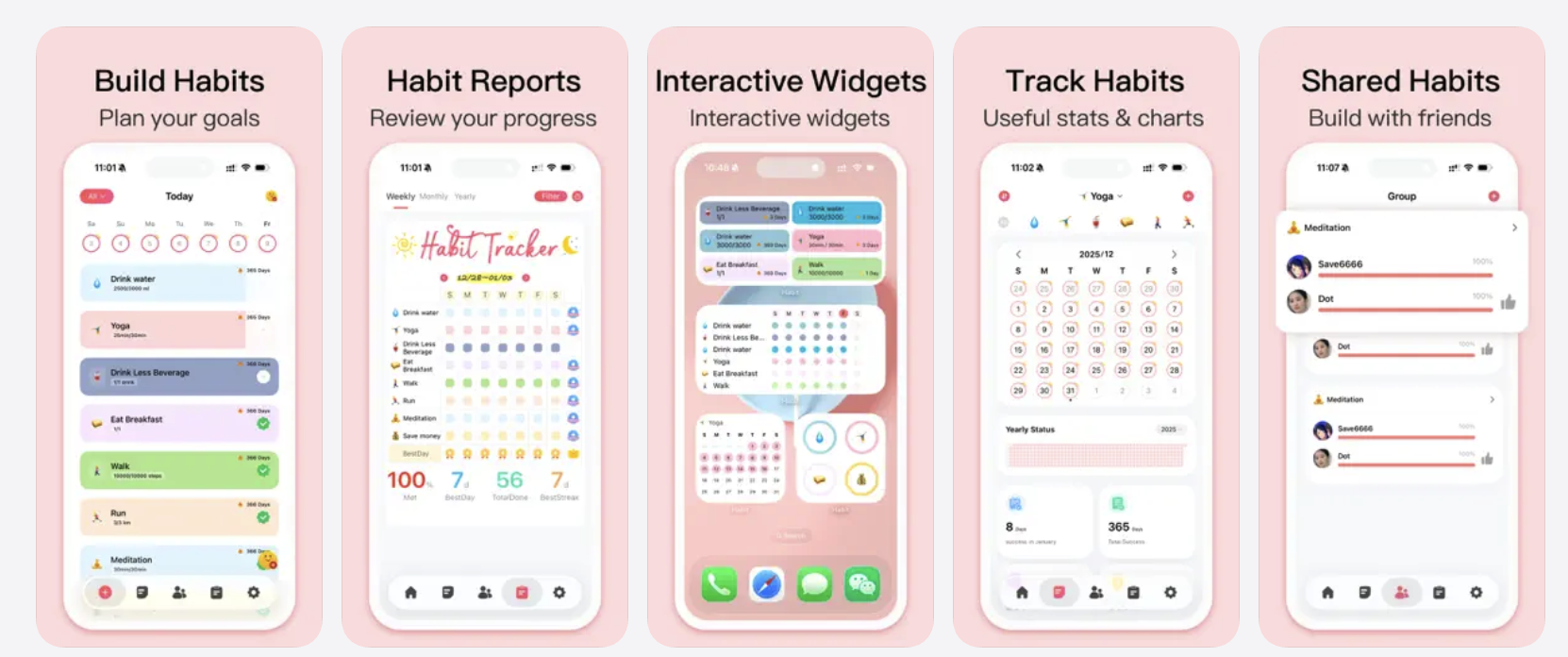
Image courtesy of Habit Tracker
My daily workflow
If you’re curious about what this looks like in a typical day. Here’s an example of what my daily habits, rituals and focused activities look like while I’m using these apps.
Morning:
Think up: I listen to affirmations in the morning to get into the right headspace, reinforce my identity and new identity I’m stepping into.
Habit Tracker: Complete the Miracle Morning routine every morning. This helps me track my effort.
Tiimo: I use this for my morning skincare routine that I like to follow as a checklist.
Spotify: I listen to motivational or interesting podcasts to learn something new or stay inspired.
Planning:
Google Calendar: Ensure my calendar blocking and appointments are logged each week.
Structured: Helps me keep pace with my time blocks and the things I’ve scheduled in my calendar.
Deep work:
Toggl: I use it to track projects and tasks that are important to me.
Evening:
Habit tracker: Crossing off evening habits.
Tiimo: Ensuring I follow some of my cleaning, skin care and next-day setup routines.
Learning:
YouTube / Skillshare / Spotify: I make time in the evening to learn and develop new skills. I’ll turn to these apps.

Getting started with your routines and rituals
None of these apps will magically change your life. They're simply tools for you to leverage. I've downloaded plenty of productivity apps over the years that I eventually deleted.
The difference wasn't the app—it was whether it supported a habit I genuinely wanted to build. Start with the routine first, then choose the tool that makes it easier to follow through.
The real transformation comes from the rituals you repeat, the promises you keep to yourself and the systems that make those promises easier to honor.
One thing you'll notice about nearly every app on this list is that it helps make progress visible. Whether that's through checklists, color coding, timelines or habit streaks, I find that seeing my progress motivates me far more than simply keeping everything in my head.
In my head, I like to call these habits, rituals and tasks evidence of who I am becoming. They help reinforce the behavior and actions I’m taking–and repeating.
It helps see that these habits will at some point reach a tipping point where they will become second nature and just part of my everyday life.
You absolutely don't need every app on this list. I'd recommend choosing one area of your life you'd like to improve first—your mornings, your calendar, your habits or your learning—and starting there.
Choose one tool that solves that problem and build from there. Small improvements practiced consistently often lead to the biggest changes over time.
If you enjoyed this article, you might also enjoy my articles on habit building, journaling, intentional routines and designing systems that support the life you want to create.